Employee Time Tracking That Teams Trust
Pedinno Time Tracker is a desktop app for Windows and macOS. Employees start, pause and stop a work timer and always see exactly what is recorded; managers see live status, timelines and reports in the Pedinno portal.
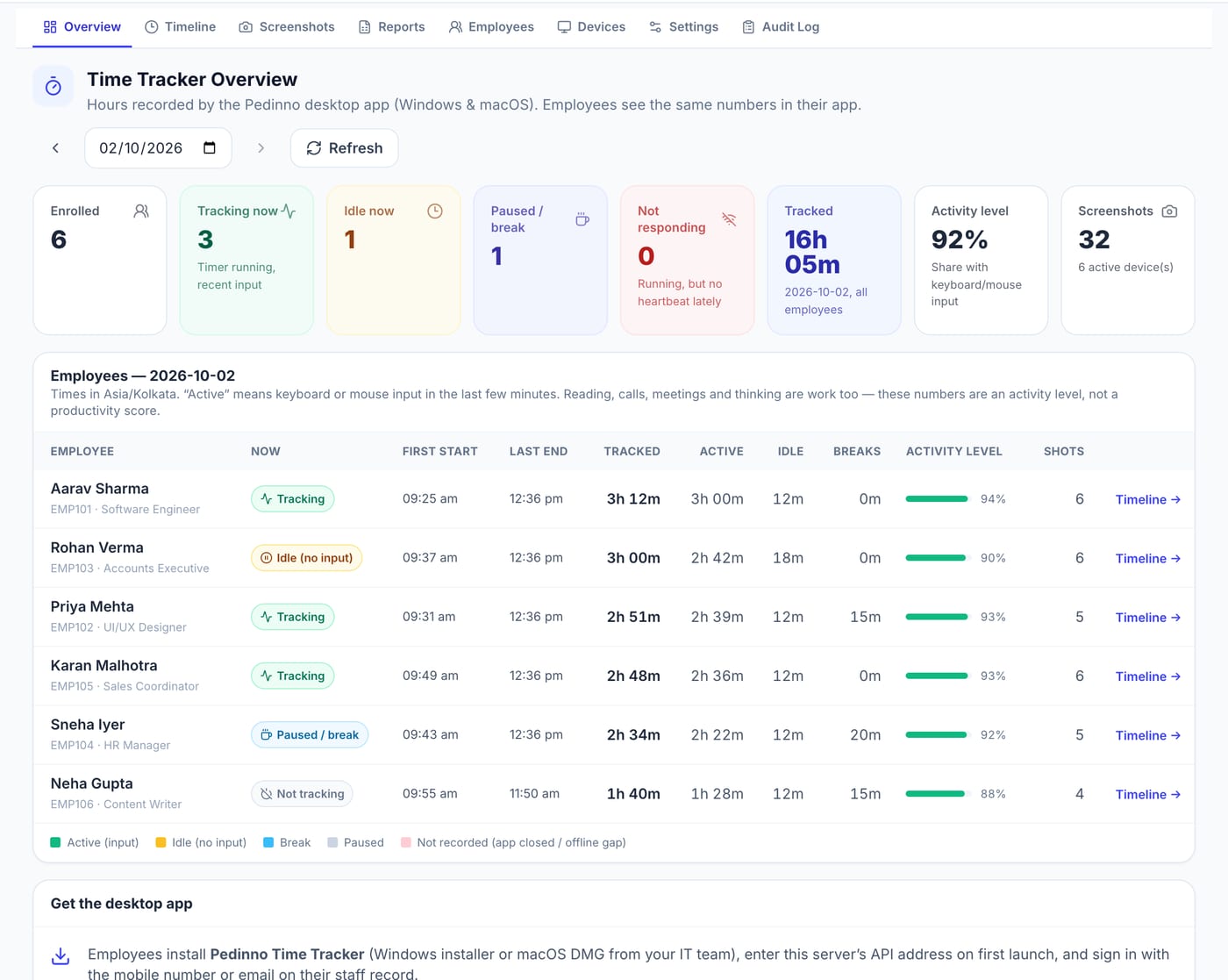
Employee Time Tracker — Real Screens
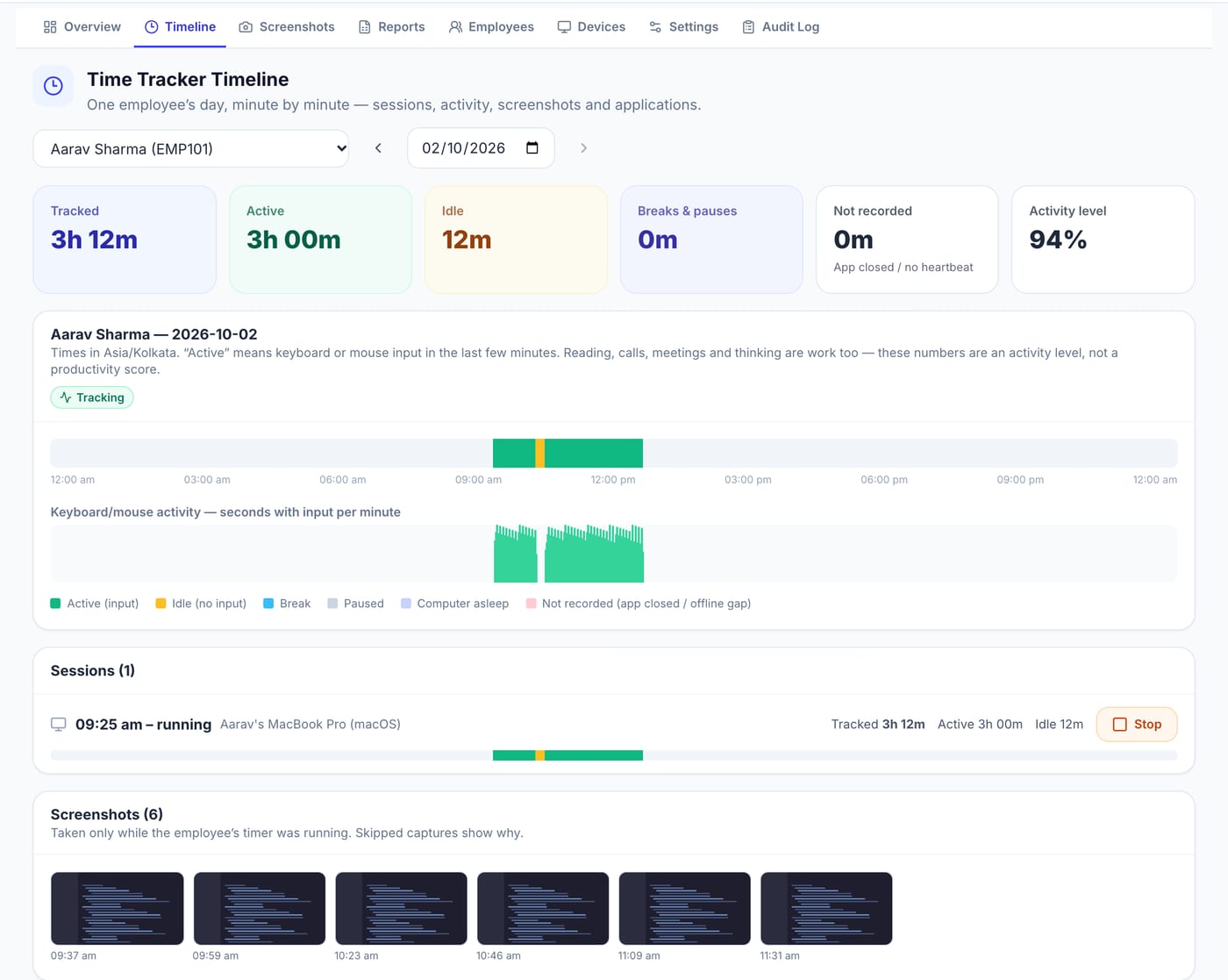
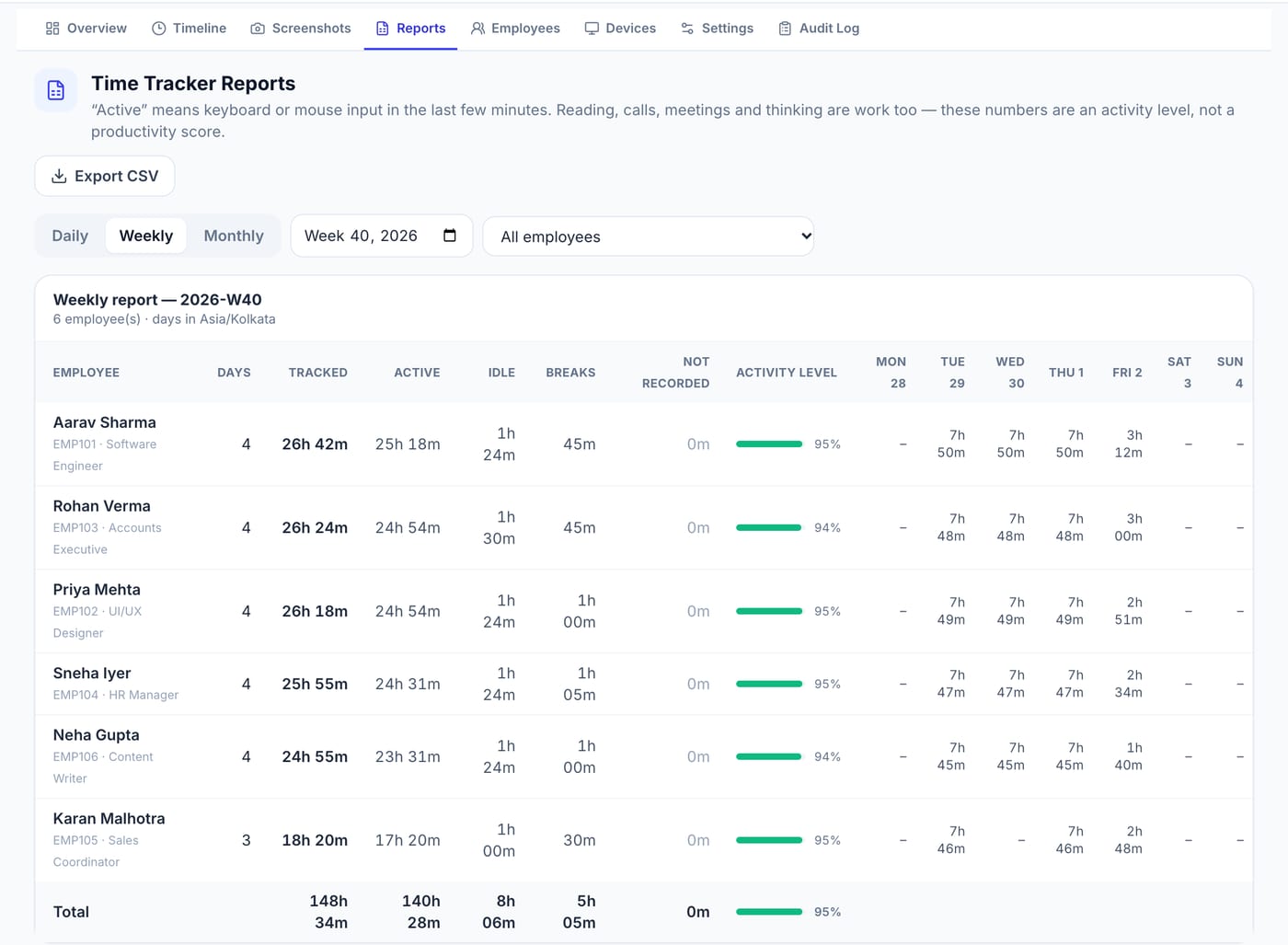
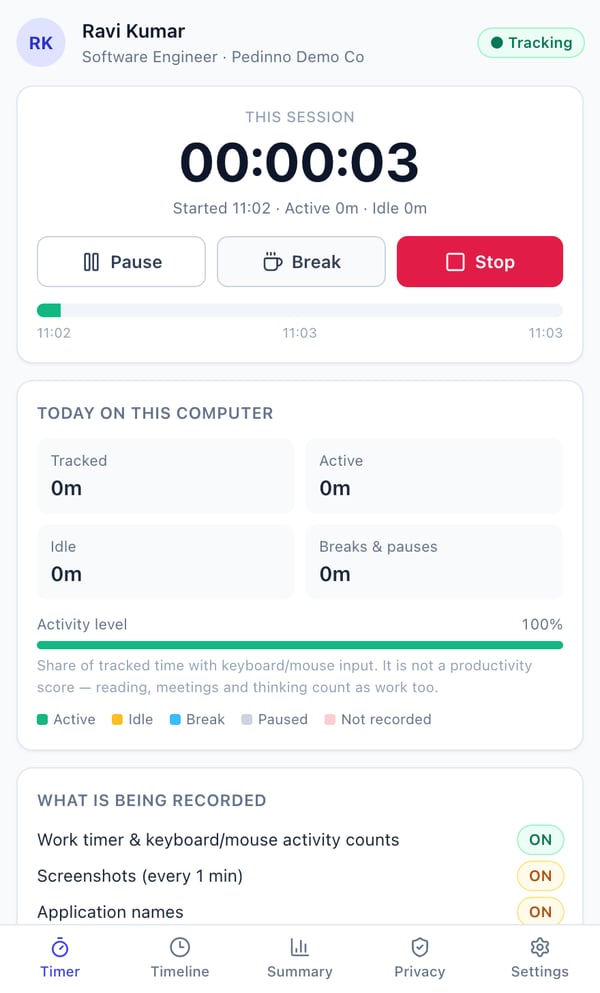
Actual Pedinno screens, captured on a demo school with fictional data.
Download Pedinno Time Tracker
Install on each employee's computer. Time, activity and reports flow straight into your Pedinno workspace.
Download Pedinno Time Tracker
For organisations whose Pedinno workspace includes Time Tracker. Your admin enrols you on the staff record, then you sign in with the same mobile number or email.
No Pedinno workspace yet? Start 10-Day Free Trial
What Employee Time Tracker Does
Transparent desktop time tracking for Windows and macOS — timers, activity levels, timelines, optional screenshots and daily, weekly and monthly reports.
Business Challenges
- Remote and hybrid teams lack a fair, shared record of working time.
- Invasive monitoring tools damage trust and raise privacy concerns.
- Timesheets filled from memory are inaccurate.
Core Capabilities
- Windows & macOS desktop app
- Start, pause, break & stop timer
- Activity level from input — never keystrokes
- Live status: tracking, idle, paused, not responding
- Minute-by-minute timelines
- Optional screenshots (off by default)
- Optional application names
- Daily, weekly & monthly reports with CSV export
- Device management & audit log
- Privacy tab visible to every employee
Employee Time Tracker Workflow
Install
Employees install the Windows installer or macOS DMG.
Sign In
Sign in with the mobile number or email on the staff record.
Track
Start the timer; the app shows exactly what is being recorded.
Review
Managers see live status, timelines and reports in Pedinno.
Modules and Functional Areas
Overview
Who is tracking, idle, on a break or not responding right now.
Timeline
One employee's day minute by minute, with sessions and activity.
Screenshots
Optional, policy-controlled captures with excluded apps and audit.
Reports
Daily, weekly and monthly tracked, active, idle and break hours.
Employees & Devices
Enrolment, devices, sign-out and disable controls.
Settings & Audit Log
Organisation policies and a full log of administrative actions.
User Roles
Integration Options
- Pedinno AI HRMS staff records
- Pedinno Payroll
- CSV export
Benefits
- A fair, shared record of working time
- Transparency that builds trust
- Accurate inputs for payroll and client billing
Use Cases
- Remote and hybrid teams
- Agencies billing clients by the hour
- IT and back-office teams
How We Protect Product Data
- No typed text, passwords, clipboard, URLs, camera, microphone or location is ever collected
- Screenshots and app names are off by default and controlled by organisation policy
- Nothing is recorded while paused, stopped or idle-locked
- Screenshot deletion is restricted to authorised admins and audited
Activity level is the share of tracked time with keyboard or mouse input. It is not a productivity score — reading, meetings and thinking are work too.
Employee Time Tracker Frequently Asked Questions
No. It only counts seconds with keyboard or mouse input per minute. Typed text, key sequences and passwords are never collected.
No. Screenshots are off by default. If an organisation enables them, employees are told clearly in the app.
Windows (x64) and macOS (Apple silicon and Intel).
Ready to See Employee Time Tracker in Action?
Request a product demo or talk to our team about your specific requirement.
Explore Related AI Products
AI HRMS & HRMIS
AI-powered HRMS for hiring, onboarding, face and biometric attendance, leave, tasks, performance, assets, offboarding and project workforce management.
- AI interviews & interview reports
- Resume parsing & candidate ranking
- Offer letters, pre-boarding & appointment letters
- Face recognition attendance
Payroll Management Software
Attendance-linked payroll software with PF, ESI, PT, TDS and LWF, payslips, Form 16, claims, advances, loans and automatic accounting entries.
- One-click payroll generation
- Attendance, leave & overtime linked salary
- PF, ESI, Professional Tax, TDS & LWF
- Flexible salary structures & wage types
Explore Related Solutions
AI Workflow Automation
Trigger-based automation, rules engines, and intelligent task routing for business processes.
Learn More